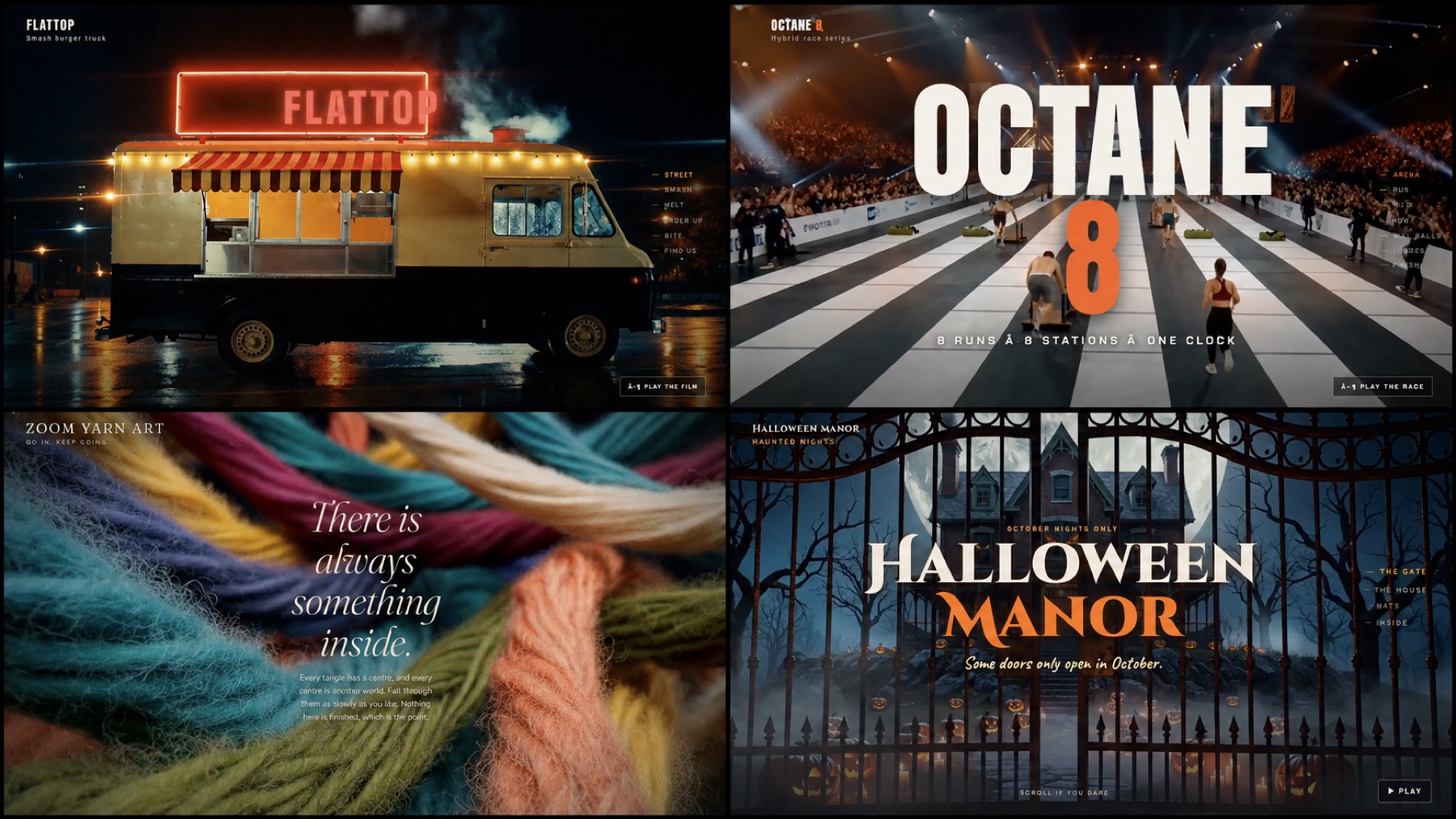
What if a website did more than display information? What if it could create anticipation, appetite, excitement, or calm before the visitor read a single paragraph?
That is the idea behind a cinematic website: short AI-generated scenes, purposeful motion, and scroll-based transitions combined into a web experience that feels more like a story than a template.
For this Brain Train AI Academy project, we created three fictional concepts to explore what that can look like:
- FLATTOP, a late-night smash-burger food truck
- OCTANE 8, a high-energy fitness challenge
- Zoom Yarn Art, a calm and colorful yarn-art experience
You can explore all three cinematic website concepts here. Use your mouse or trackpad to scroll through each experience and notice how the movement, pacing, and atmosphere support the business idea.
📘 Note
These are fictional, AI-assisted concept websites created for education and demonstration. They are not real businesses or client results.
The Simple Method: Idea → Footage → Experience
It is easy to look at a cinematic website and assume that the process must involve complicated 3D software or an advanced development team. It can—but it does not have to.
The workflow used for these concepts can be understood in three words:
- 1
Idea
Plan the experience as a short sequence of scenes
- 2
Footage
Generate a brief video clip for each scene
- 3
Experience
Use AI-assisted coding to connect the clips through scrolling, transitions, text, and calls to action
The most important work happens before the website is built. If the scenes do not tell a clear story, polished animation will not fix the experience.
What We Actually Used
For these demonstration sites, the main building tool was Claude in the desktop app. Claude helped plan the scenes, write the website files, make revisions, and produce shareable versions of the finished pages.
The six-second visual clips were created with the AI video generator inside vidIQ, because it was already connected to the workflow being used. You do not need that exact setup. Higgsfield, Kling, Veo, Runway, and other AI video generators can create the same general kind of short footage.
The clips were saved in a numbered folder on a Mac, and that folder was connected so Claude could organize and use the files while building the site.
That is the honest tool list. We did not use every tool mentioned as an alternative, and there is no single “required” video generator for this method.
If you need help comparing the available choices, visit the Brain Train 100 AI Tools Guide. It can help you identify which type of image, video, writing, or website tool fits the way you want to work.
The Six-Step Cinematic Website Workflow
1. Write the Website as Seven Scenes
Do not begin by asking AI to “make an impressive website.” Start by describing what the visitor will experience.
Write seven short sentences—one for each scene. Every sentence should include something happening.
For a fictional food-truck site, the scene plan might look like this:
- A food truck appears through smoke and warm streetlights at night.
- A burger hits a hot griddle and begins to sizzle.
- Cheese melts slowly over the burger.
- The finished burger is revealed under dramatic lighting.
- A customer lifts the burger and takes a bite.
- The food truck returns as the menu and ordering information appear.
- A clear call to action invites the visitor to find the truck or place an order.
This is your storyboard. It gives the video generator and the website-building AI a shared plan to follow.
✨ Important
Keep important words, prices, menus, and logos out of the generated footage. Add readable text in the website itself, where it can remain sharp, accessible, and easy to update.
2. Turn Each Scene Into a Video Prompt
A practical clip prompt has four parts:
Subject + movement + camera + atmosphere
For example:
A gourmet smash burger sizzling on a black griddle, melted cheese slowly folding over the edges, slow macro camera push, warm amber restaurant lighting, shallow depth of field, cinematic food commercial, no text, no logos.
You do not need overly technical language. Describe what you want to see in plain English, then add the camera movement, lighting, and mood.
A useful reusable prompt structure is:
[Subject and setting]. [What happens in the scene]. [Camera movement]. [Lighting and mood]. Cinematic, realistic motion, no text, no logos.
3. Generate the Clips in One Batch
Create one short clip for each scene. Six seconds is often enough for a focused visual moment, although the right length depends on the pace you want.
Save every clip in the same folder and number the files in scene order:
- 01-opening
- 02-action
- 03-transformation
- 04-reveal
- 05-experience
- 06-offer
- 07-call-to-action
This simple organization makes the build easier and reduces confusion when you begin making revisions.
4. Ask Claude to Build the Experience
Connect the folder containing your clips, then describe the website in plain language. Give Claude your seven-scene plan, the business goal, the visual style, the text that needs to appear, and what the visitor should be able to do.
One helpful direction is:
The scroll is the camera. As the visitor scrolls, move through the scenes smoothly. The experience should also be able to play automatically for visitors who do not scroll.
Claude can then build the web structure around the footage using video backgrounds, sticky sections, transitions, text reveals, navigation, buttons, and mobile-friendly layouts.
The cinematic feeling does not require every object to be a true interactive 3D model. Carefully planned video clips combined with scroll animation can create depth and movement without making the project unnecessarily complicated.
5. Review and Fix It in Plain English
The first version is a starting point. Open the site and watch how it feels from beginning to end.
Look for practical problems:
- Does a scene move too quickly?
- Is the text difficult to read?
- Does the transition feel abrupt?
- Does the mobile version crop the subject?
- Is it clear what the visitor should do next?
- Does the autoplay compete with scrolling?
Describe each problem the way you would explain it to another person:
The burger is being cropped on mobile. Keep it centered and show more of the lower half.
The transition into the ordering section is too fast. Hold the burger reveal longer before the text appears.
The yarn scene feels too energetic. Slow the movement and make the transition softer.
This conversational revision process is one of the most useful AI skills in the entire workflow. You do not have to know the name of the code causing the problem; you do need to explain what looks or feels wrong.
If you get stuck, ask the Brain Train AI Coach to help you clarify the problem, improve a prompt, or think through the next step.
6. Publish and Test
Once the experience works, publish it to a shareable link and test it on both desktop and mobile.
For a concept or demonstration, a hosted share link may be enough. For a real business or client project, you would normally connect the finished experience to the appropriate domain and make sure its menu, contact information, forms, privacy details, accessibility, analytics, and business claims are accurate.
Before calling it finished, ask someone else to try it without instructions. Watch where they pause or become confused. A cinematic website should still function as a website—not just as a video.
Three Concepts, Three Different Feelings
The same workflow can create very different business experiences.
FLATTOP: Create Appetite Before the Menu
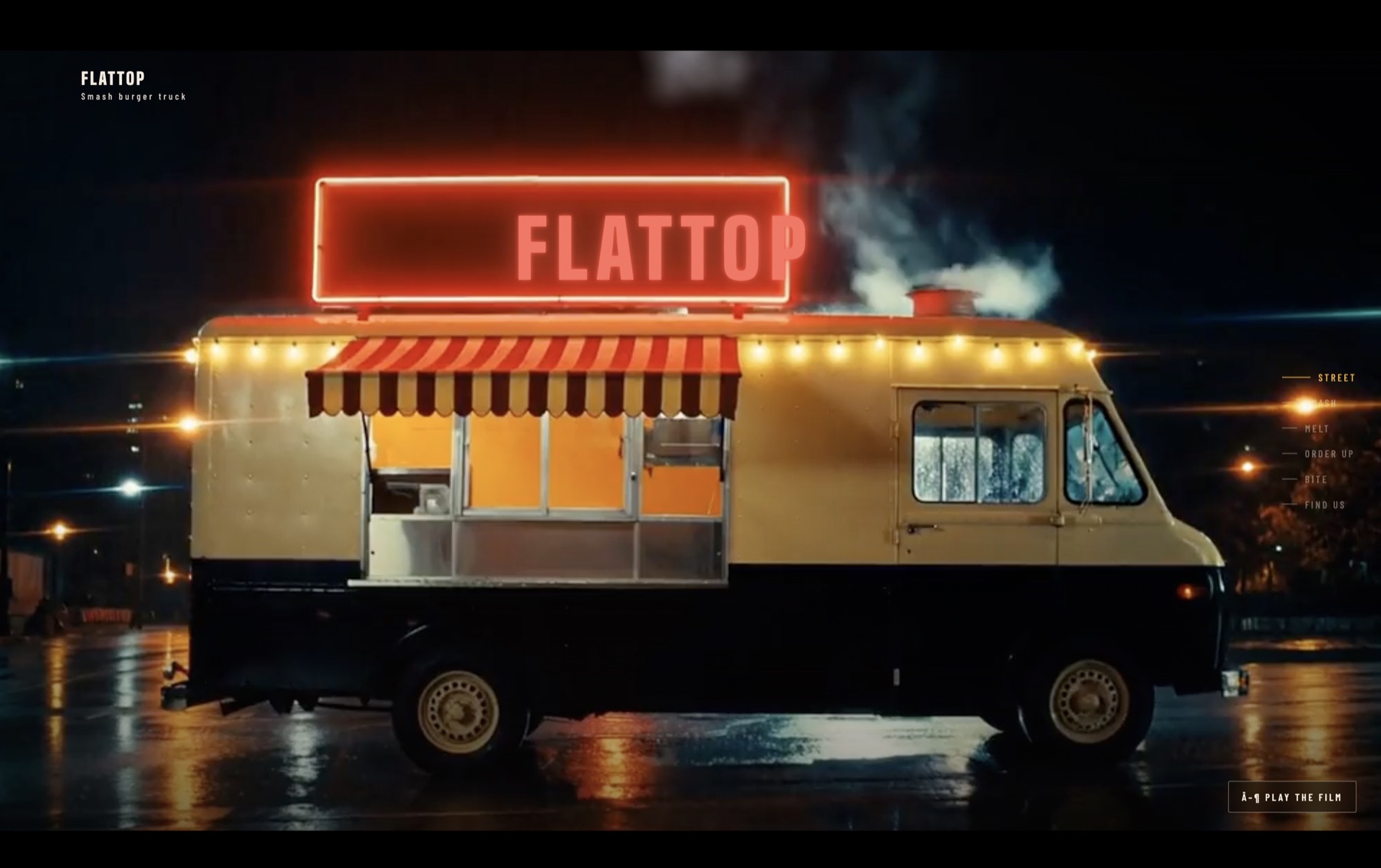
The FLATTOP concept uses smoke, sizzling food, close-ups, and dramatic nighttime lighting to make the visitor feel hungry before reaching the order information.
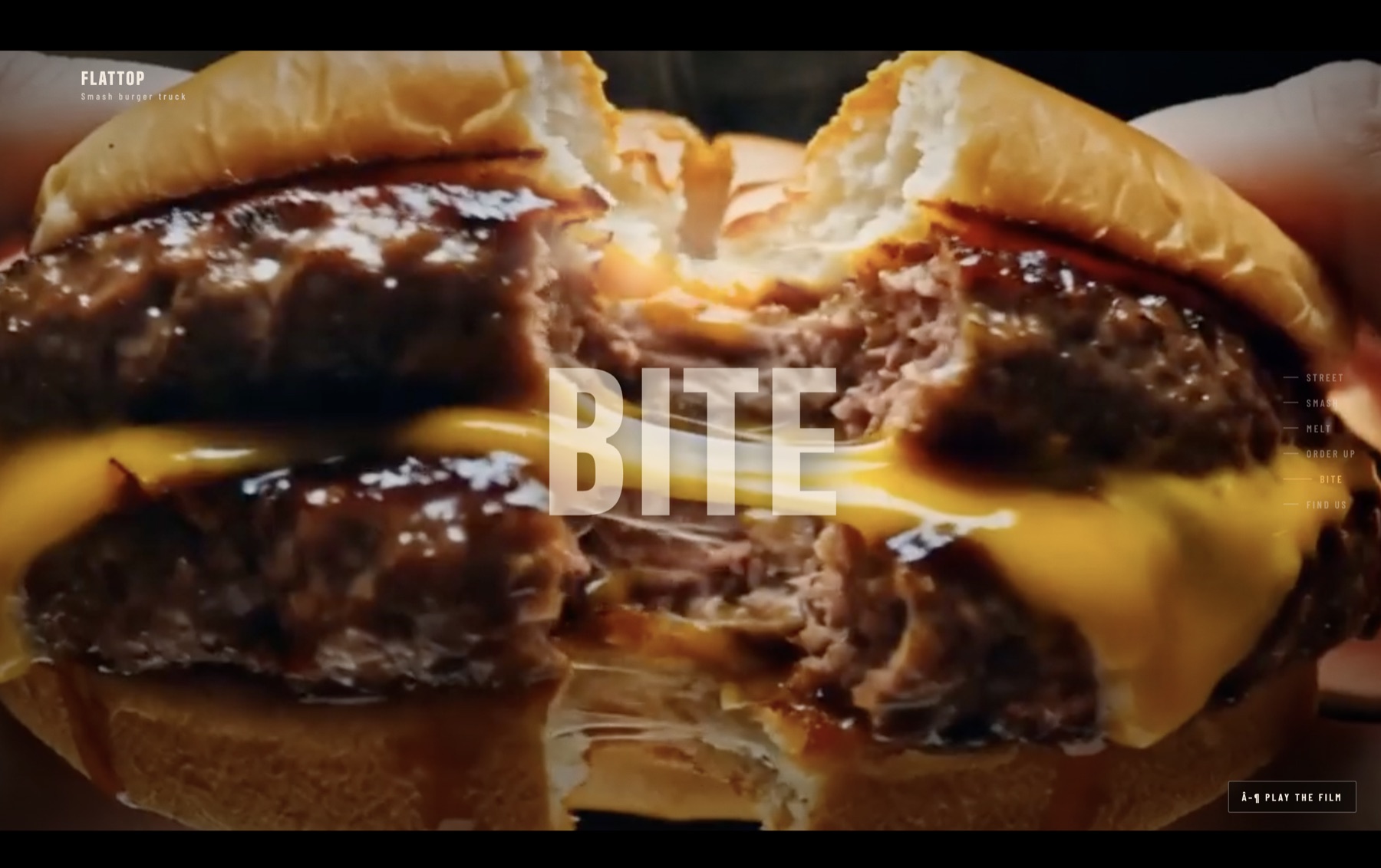
The reusable lesson is to write the scenes first and keep the generated footage free of text. The website can carry the brand name, menu, location, and ordering buttons while the video focuses on appetite and atmosphere.
OCTANE 8: Cast the World You Want
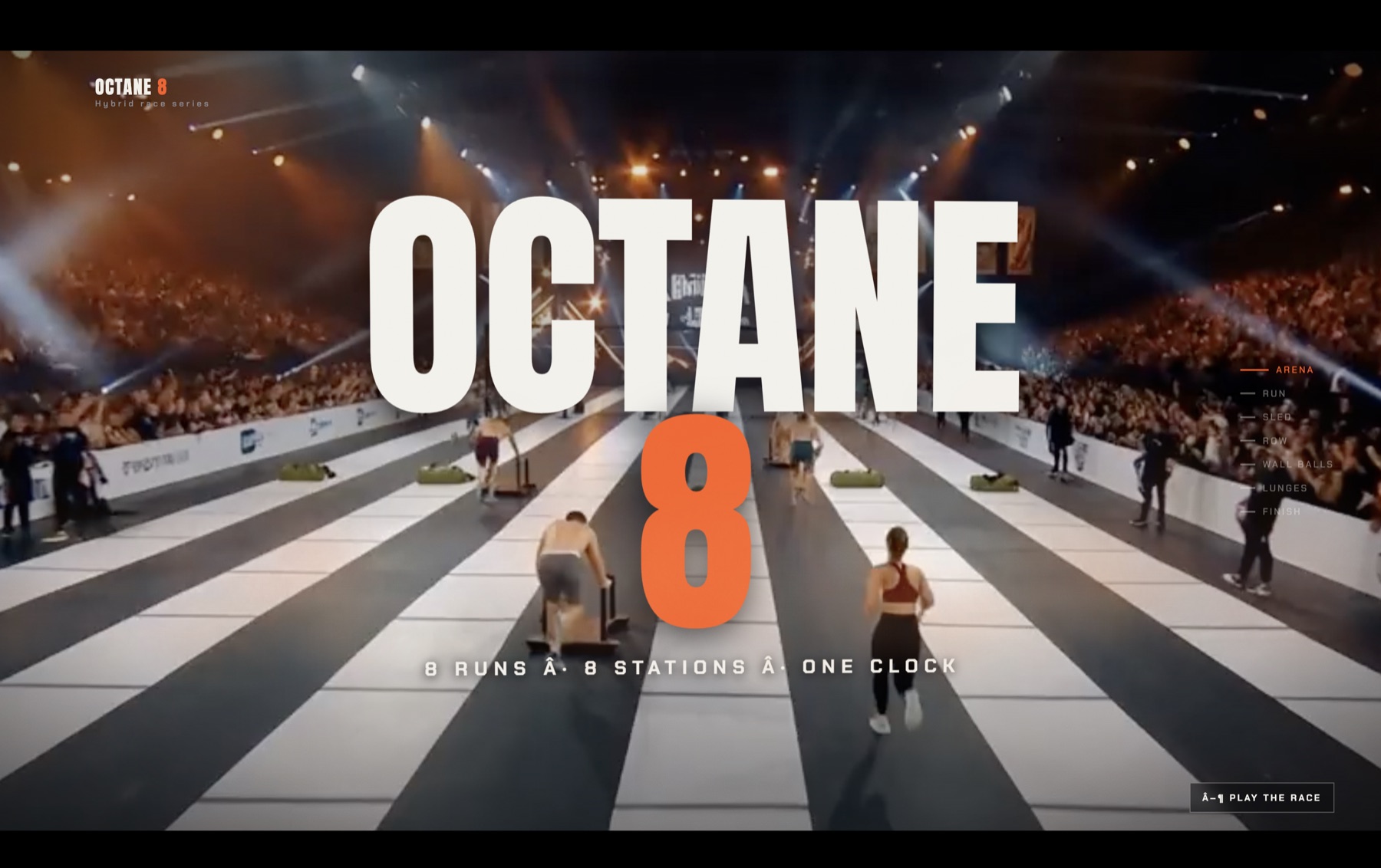
The OCTANE 8 concept demonstrates how strongly the result depends on what you request. Setting, people, wardrobe, intensity, color, camera direction, and mood all shape the world the visitor sees.
AI does not automatically know the audience, energy, or representation you want. Describe those choices intentionally. The reusable lesson is simple: AI gives you a version of what you ask for, so cast and direct the world you want to create.
Zoom Yarn Art: Design for a Feeling
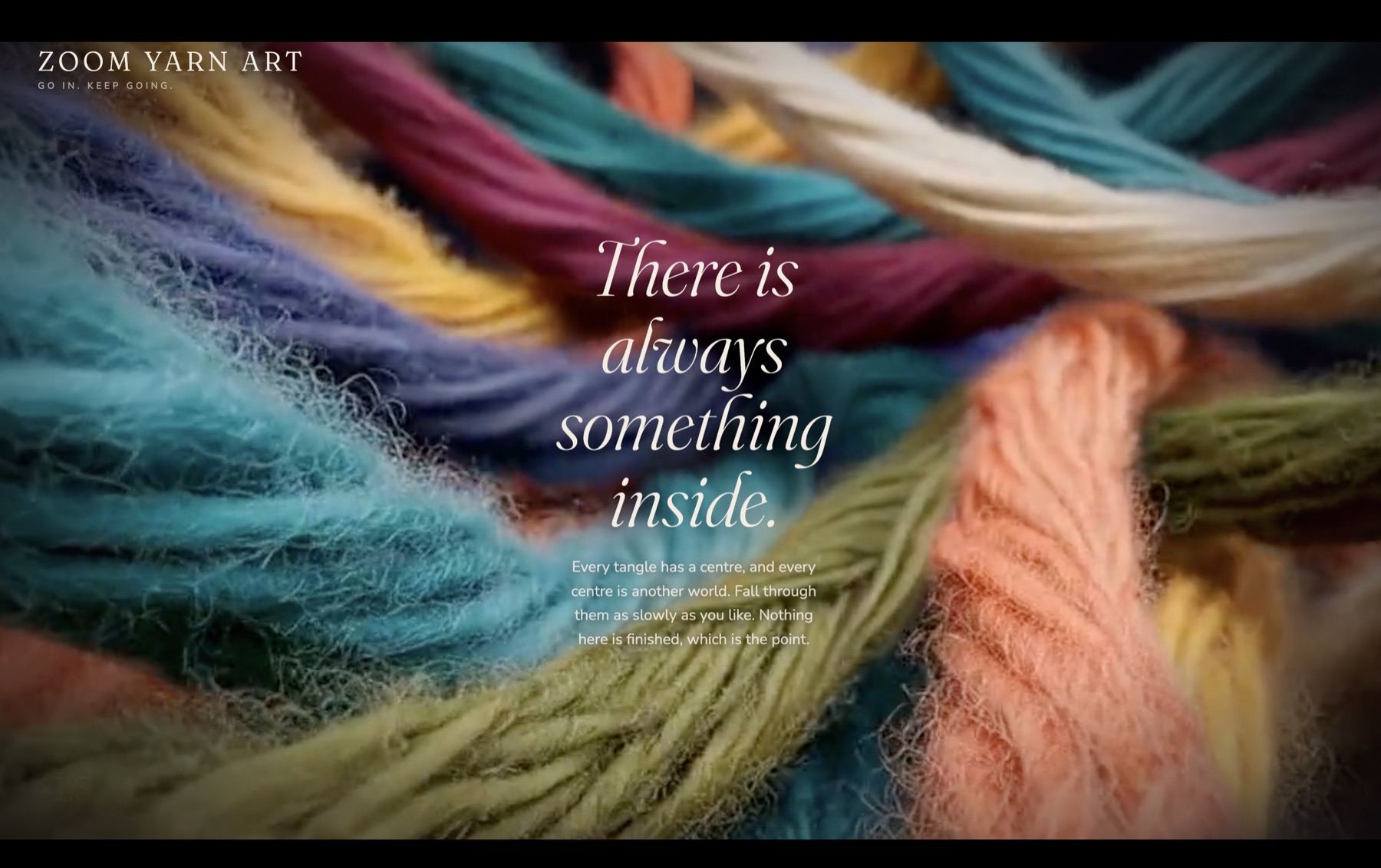
Zoom Yarn Art uses softer motion, close texture, and calmer pacing. Its purpose is not urgency; it is relaxation and creative curiosity.
The reusable lesson is to describe what feels wrong in ordinary language. “Make it more peaceful,” “slow this scene down,” and “keep the yarn centered on mobile” can be more useful than trying to diagnose the code yourself.
Halloween Manor: Turn a Seasonal Event Into an Experience
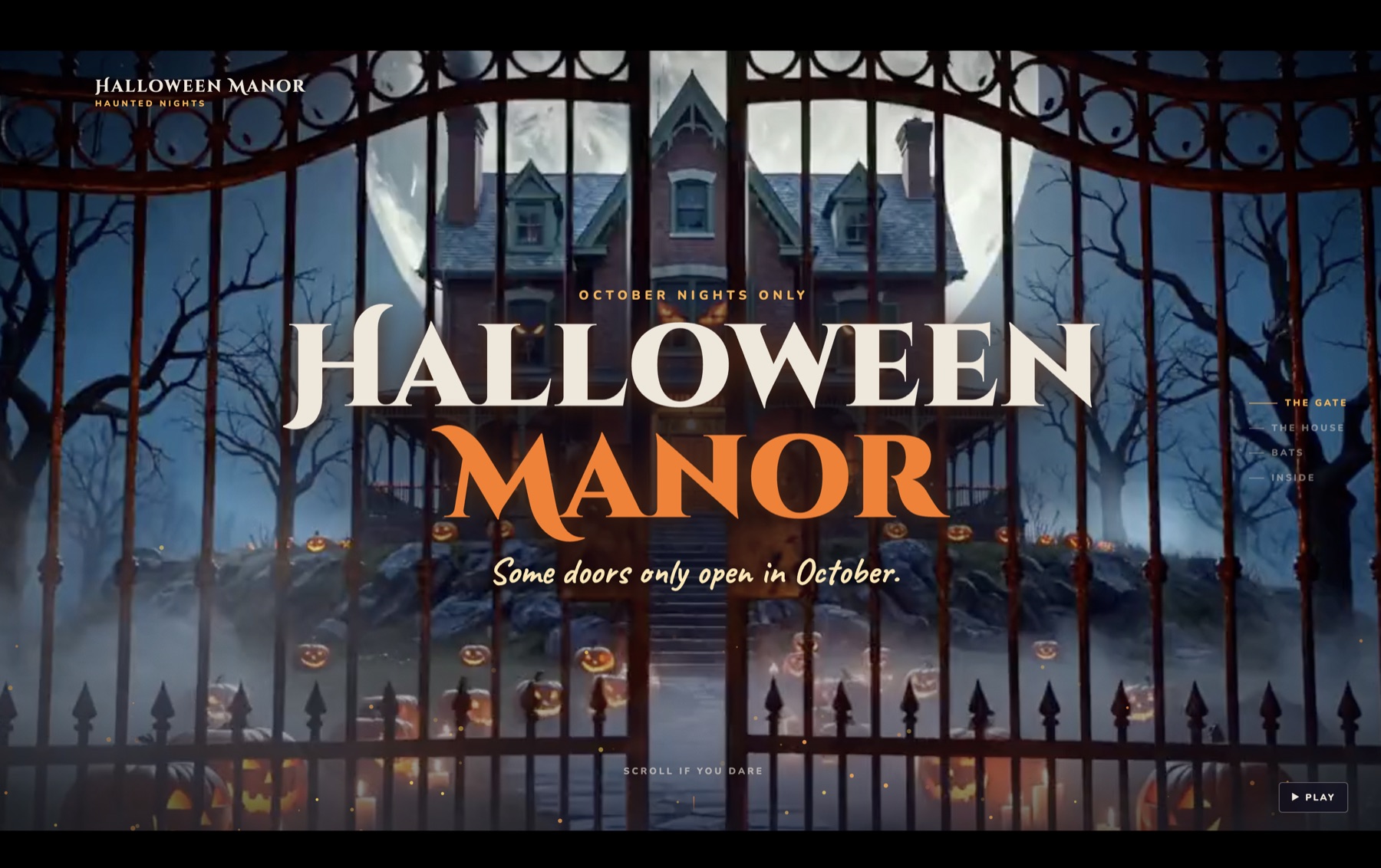
Halloween Manor shows how the same method can promote a limited-time experience. Suspense begins at the gate, then the visitor moves deeper into the story as the website reveals the house, bats, and what waits inside.
A neighborhood haunted house, fall festival, or charity fundraiser could use this kind of experience to build anticipation while still providing practical information such as dates, location, admission details, safety notices, and the cause being supported.
The reusable lesson is to match the pacing and visual language to the emotion you want the visitor to feel. In this case, the website is not simply announcing an event—it is beginning the experience before the visitor arrives.
Where This Could Become a Real Service
Cinematic websites are especially useful when a business sells a feeling, transformation, or memorable event—not only a list of features.
Possible concepts include:
- A food truck that wants visitors to crave the product
- A fitness challenge that needs energy and momentum
- A spa, retreat, or wellness brand that wants to create calm
- An artist or maker who wants the materials and process to feel tactile
- A hotel, restaurant, venue, or destination selling an atmosphere
- A seasonal attraction, such as a neighborhood haunted house raising money for charity
- A product launch where anticipation matters
For a small business owner or creative professional, this can become a paid design service or an additional revenue path. It is not a guarantee of clients, sales, or profit. The opportunity comes from combining the visual concept with a website that supports a real business goal.
What AI Did—and What It Did Not Do
✅ Success
What AI helped with
Scene planning and prompt development
Generating short visual clips
Writing the website structure and animation
Testing ideas quickly
Making revisions from plain-language feedback
Creating shareable concept pages
⚠️ Watch Out
What still required human judgment
Choosing the business idea and audience
Deciding what feeling the site should create
Selecting usable clips
Checking accuracy, pacing, accessibility, and mobile behavior
Writing an offer people can understand
Getting permission for real brands, people, music, and client assets
Deciding whether the final experience actually serves the customer
AI can shorten parts of the process, but it does not replace taste, business judgment, testing, or responsibility for what gets published.
Keep Your First Project Small
Your first cinematic site does not need dozens of scenes or advanced 3D effects. Start with one business idea, seven sentences, seven short clips, and one clear call to action.
Build the smallest complete experience. Watch it. Fix it. Then decide whether another scene or effect genuinely improves the story.
That approach keeps the project manageable and helps you learn the skills that matter most: planning the scenes, directing the footage, explaining the build, and identifying what needs to change.
Where to Go Next With Brain Train AI Academy
The public method is simple: Idea → Footage → Experience. The details inside each stage—choosing tools, improving prompts, connecting files, handling revisions, publishing, and troubleshooting—are where guided help becomes useful.
| If you need… | Start here |
|---|---|
| Help choosing an AI video or website tool | Explore the 100 AI Tools Guide |
| A personalized starting point and roadmap | Start your free Discovery Session |
| Help improving a prompt or solving a build problem | Ask the Brain Train AI Coach |
| A fuller business plan, priorities, and workflows | Explore the Interactive AI Business Blueprint |
| More practical AI strategies and demonstrations | Visit the Video Library |
| Inspiration from the completed concepts | Explore the Cinematic Website Showcase |
Ready to Find Your Best Starting Point?
Take the free Brain Train AI Discovery Session and receive a personalized roadmap based on your goal, experience, and current obstacles.
Start Your Free Discovery SessionThe goal is not to copy these three websites. It is to understand the method well enough to create an experience that fits your own idea—or a real client's business.
Plan the feeling. Generate the moments. Build the experience.

