What is ChatGPT?
Understand what ChatGPT actually is — and have your first useful conversation before this lesson ends.
In this lesson, you'll learn to…
- 1Explain what ChatGPT is in one sentence — without any technical jargon
- 2Identify three real tasks in your own life or business ChatGPT can help with today
- 3Understand what ChatGPT is great at (and where it needs your judgment)
- 4Start your first conversation using a prompt that actually gets a useful answer
ChatGPT in one sentence
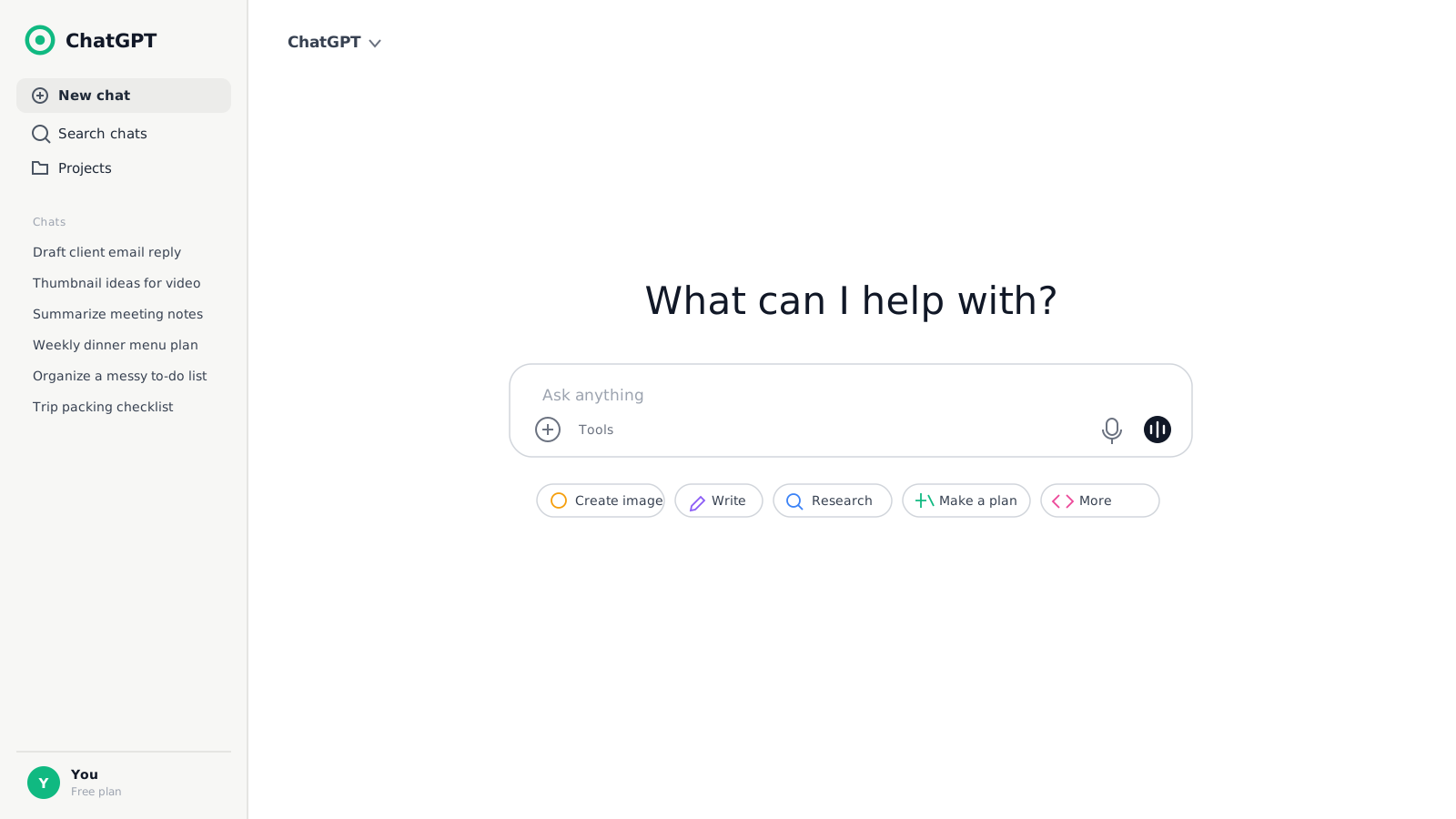
ChatGPT is an AI assistant made by a company called OpenAI. You talk to it in plain English — typed or spoken — and it helps you think, write, plan, create images, and get work done.
That's it. If you can write a text message, you can use ChatGPT.
The best mental model: a fast, endlessly energetic assistant who just joined your team. It's read enormously, it never tires of your questions, and it can produce twenty ideas in a minute — but it doesn't know your business yet. This academy teaches you to brief it like a real assistant.
Key idea: You don't need to learn 'AI skills' to use ChatGPT. You need to get good at explaining what you want — the same skill you'd use with a talented new employee.
What can it actually do?
Here's what students in this academy use ChatGPT for every week — notice it's all work you already do:
Emails that sound like you
From awkward draft to polished message in one pass
Ideas on demand
Twenty options in a minute when you're stuck at zero
Images and thumbnails
Describe it in words, get a visual back — built in
Summaries in minutes
Long documents and reports distilled to what matters
Scheduled help
Tasks that run on a schedule and report back (Module 2)
Voice conversations
Talk instead of type — great for thinking out loud
Tip: What's NOT required: coding, technical setup, or a paid plan. The free plan is genuinely capable — this whole module works on it.
Where ChatGPT shines — and where you stay in charge
ChatGPT is exceptional at speed, variety, images, and creative range. Give it context and a clear ask, and it produces in thirty seconds what would take you an hour.
But it's an assistant, not an oracle. The division of labor looks like this:
| ChatGPT's job | Your job |
|---|---|
| Draft the words and generate the ideas | Decide what gets used |
| Produce options, fast | Pick the one that fits |
| Create images from descriptions | Judge what's on-brand |
| Work tirelessly at any hour | Verify facts, names, and numbers |
Watch out: ChatGPT can state wrong facts with total confidence. Always sanity-check facts, numbers, and names before you publish or send — this rule never expires.
How this academy works
Every lesson follows the same rhythm, and every demo comes from real builds — how ChatGPT is actually used to plan YouTube channels, run research, and produce content alongside Claude:
Short read
Core idea in plain English — never a wall of text
Copy the prompts
Every prompt shown is copy-ready in the Prompt Lab
Do the lab
Hands-on exercise using YOUR real life, not made-up examples
Check yourself
A quick scenario quiz — then on to the next lesson
Pro tip: By Module 1's end you'll be comfortable in conversation with ChatGPT. By Module 4 you'll be producing content with it. Agents and automation come when you're ready — no rush.
Prompt Lab
Every prompt below is exactly what you saw in the lesson. Copy them, use them, make them yours.
Your first conversation starter
Use this as your very first message to ChatGPT — it introduces you and gets a genuinely useful answer back.
Hi ChatGPT. I'm brand new to using AI assistants. Here's a little about me: [describe your job, business, or daily life in 2-3 sentences].

Based on that, what are 5 specific ways you could save me time each week? For each one, give me a real example of what I'd ask you.
Why it works: It gives ChatGPT context about YOU before asking for anything. Its answer will be personal instead of generic — and the five suggestions become your to-do list for the rest of this module.
The 'explain it like a person' test
A fun second message that shows how ChatGPT adapts to you.
Explain how you work — what you are, what you're good at, and what I should double-check — like you're a friendly new assistant on my team, not a tech company. Keep it under 150 words.
Why it works: You see immediately that ChatGPT follows instructions about tone, length, and framing — the three levers you'll use in every prompt from now on.
AI Workflow View
How AI fits into the real-world process — step by step.
You
Describe what you need in plain English
ChatGPT
Drafts, brainstorms, creates
Draft
A solid first version in seconds
You decide
Review, tweak, use
The core loop of everything in this academy: you brief, ChatGPT drafts, you decide.
Hands-on Lab: Your First Real Conversation
0/5 steps done
Time to actually talk to ChatGPT — about your real life, not a demo. This takes about five minutes.
Follow Along Example
Here's exactly what this first conversation looks like from start to finish.
YOU
What you do
CHATGPT
What happens
Paste this prompt
Hi ChatGPT. I'm brand new to using AI assistants. Here's a little about me: [your job, business, or daily life in 2-3 sentences].

Based on that, what are 5 specific ways you could save me time each week?
Reads your context and responds
Five suggestions tailored to what you actually do — not a generic list.
Pick the best suggestion
Reply: 'Let's do #_ right now — walk me through it.'
Gets to work immediately
Your first real task, done together in the same conversation.
Ask a follow-up
'Make it shorter' · 'more casual' · 'give me two more options'
Refines without starting over
It keeps the whole conversation in mind — each follow-up compounds.
Your Turn: Do It Yourself
Now it's your turn. Follow these steps and check them off as you go.
You'll know it worked when:
You have five personalized ideas for using ChatGPT this week — and you've completed one of them in your first ever conversation.
Going further:
Ask: 'What details about me or my business would help you give better answers in the future?' Save its answer — you'll use it in Lesson 5 when we set up memory and custom instructions.
Download Resources
Knowledge Check
4 questions — click the best answer for each scenario, then check your answers.
Question 1. You ask ChatGPT for a statistic and it answers instantly with a confident number. What should you do?
Question 2. Your first message is 'write an email.' The result is generic and useless. What went wrong?
Question 3. Which of these is ChatGPT BEST suited for on day one, with no setup?
Question 4. The best way to think about ChatGPT is:
0/4 answered
Key Takeaways
- ChatGPT is an AI assistant you talk to in plain English — if you can write a text message, you can use it
- Context in, quality out: its answers are only as good as what you tell it about you and what you want
- ChatGPT drafts, you decide — it brings speed and ideas, you bring the facts and the final call
Lesson Summary
ChatGPT is a plain-English AI assistant from OpenAI that helps you write, plan, brainstorm, and create — including images and voice. It works best when you treat it like a fast new team member: introduce yourself, give it context, and review its work. In your first conversation you gave it a picture of your life and got five personalized ways it can save you time each week. Next: how ChatGPT compares to Claude — and when smart users reach for each.
BrainTrain Pro Tip
Save your best first prompt. The 'conversation starter' you wrote today — with your real details filled in — works as an opener in any AI tool, any time. One good self-introduction is worth fifty generic prompts.
Module 1: Getting Started with ChatGPT
0/5 doneYou'll know it worked when:
You have five personalized ideas for using ChatGPT this week — and you've completed one of them in your first ever conversation.
Going further:
Ask: 'What details about me or my business would help you give better answers in the future?' Save its answer — you'll use it in Lesson 5 when we set up memory and custom instructions.

